

When an unfamiliar error code flashes on your Maytag washer's display, it can bring your entire laundry routine to a halt. But don't panic. These codes are your machine’s way of telling you exactly what’s wrong, pointing you toward everything from a simple unbalanced load to a more serious drainage problem. Understanding these Maytag washer error codes is the first step to getting your appliance running again.
This guide will walk you through the most common codes, what they mean, and what you can do to fix them, drawing from our hands-on experience repairing these machines every day.
Quick Reference Guide to Common Maytag Error Codes
Let's be honest, no one wants to dig through a user manual when laundry is piling up. To help you diagnose the issue quickly, we’ve created a quick reference table. It groups the most common errors so you can immediately see if you're dealing with a water supply problem, a door lock failure, or something else entirely.
Think of this chart as your first-aid guide. It translates the machine's technical jargon into plain English, pointing you right to the source of the trouble so you can decide if it's a quick DIY fix or time to call a pro.
Maytag Error Code Lookup Table
Use this table to quickly identify the code on your machine's display. Matching the code to its meaning will help you decide what to do next. While many issues have simple fixes, knowing the root cause is key. For a closer look at common issues, you can learn more about frequent washing machine problems and their solutions.
Expert Tip: Before you start any troubleshooting, try a simple power reset. Unplug your washer for five minutes, then plug it back in. This simple step can often clear minor electronic glitches and might save you a lot of time and effort.
| Error Code | What It Means | Potential Problem Area |
|---|---|---|
| F5, F22, dL | Door/Lid Lock Failure | Door lock, strike, or control board |
| F8, F9, F20, LF, LdL | Water Supply Issue | Hoses, filters, or water inlet valve |
| F21, F32, nd | Drainage Problem | Drain pump, filter, or hose blockage |
| Sd, Suds | Excessive Suds Detected | Too much or incorrect type of detergent |
| OL, uL | Overload or Unbalanced Load | Laundry distribution or exceeding capacity |
| F1, F11, F28 | Control Unit Communication Error | Motor or main control unit (CCU/MCU) |
This guide is your starting point for decoding your washer's alerts. If the problem persists after trying a few simple fixes, it might be time to call in the professionals.
Fixing Door and Lid Lock Error Codes (F5, F22, dL)
Nothing stops laundry day faster than a washer door that won’t lock or unlock. If you're seeing error codes like F5, F22, or dL, your Maytag is telling you there’s a problem with its locking mechanism—a critical safety feature that prevents the machine from running while the door is open.
This system involves the door lock assembly, the strike (the part on the door that latches), and the main control board working together. When you start a cycle, the control board tells the lock to engage. If it fails to lock or unlock after a few tries, the washer stops and displays an error code to prevent a watery mess.
Understanding Common Lock Codes
Before you start taking things apart, it helps to know what these codes are trying to tell you. While they all point to the lock system, they can signal slightly different problems.
-
dL (Door Lock) or F5: This is a general door lock failure. The washer tried to secure the door but couldn't confirm it was latched correctly.
-
F22 (Door Lock Failure): This one is more specific. It usually means the machine tried to lock the door multiple times without success, pointing to a more stubborn mechanical or electrical issue.
From our experience, door lock errors are incredibly common. A significant number of our service calls for Maytag washers around 15% annually in Canada are related to these issues. The F22 code, in particular, often leaves the washer completely unusable until the lock is fixed. You can learn more about common Maytag washer faults on appliancewizards.ca.
This decision tree gives you a visual of where to start your troubleshooting, helping you figure out whether you're dealing with a lock, water, or another system issue.
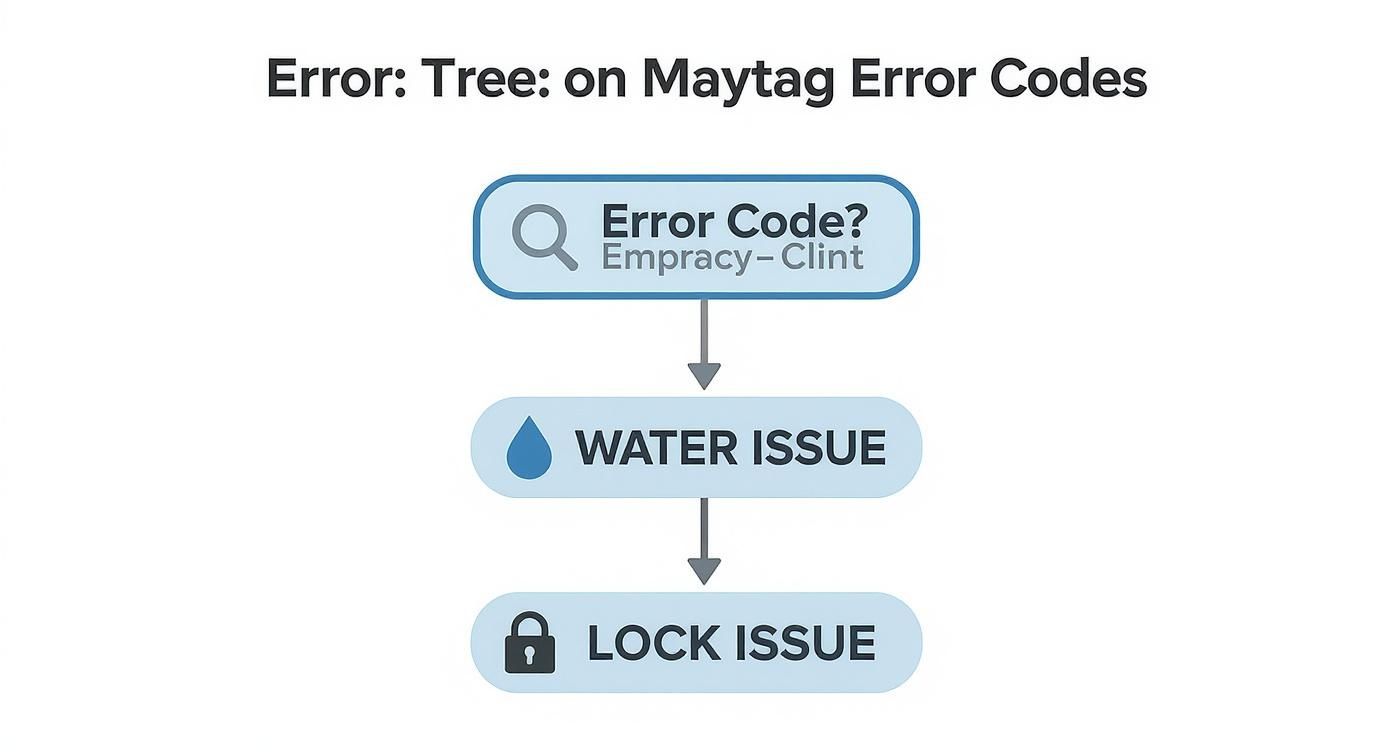
As you can see, once you have an error code, the first step is to categorize the problem. This flowchart points you in the right direction right away.
How to Troubleshoot Door Lock Errors
Before assuming a part is broken, run through these diagnostic steps. First and foremost, unplug your washing machine from the wall. Safety always comes first.
-
Check for Obstructions: You’d be surprised how often a stray sock, a shirtsleeve, or even lint buildup is the culprit. Carefully inspect the rubber door seal and the area around the lock and strike. Clear out anything that might be getting in the way.
-
Inspect the Door Strike: The strike is the plastic or metal piece on the door that fits into the lock. It can get loose, crack, or break off entirely. Gently wiggle it to see if it's secure and make sure it lines up properly with the lock assembly. If it looks damaged, it will need to be replaced.
-
Examine the Lock Assembly: Now look at the lock mechanism on the washer's frame. Are there any visible cracks in the plastic housing? Any burnt marks on the electrical connectors? A faulty lock assembly is one of the most common reasons for these errors.
-
Try a System Reset: Sometimes, a simple electronic glitch is the cause. Plug the washer back in and, without changing any settings, press and hold the "Start/Pause" button for about five seconds. This can sometimes be enough to reset the lock mechanism.
If you’ve tried these steps and you're still stuck, the problem is likely a faulty lock assembly or, in rarer cases, the main control board itself. While some handy homeowners can replace the lock assembly, it involves working with wires and components. If you're not comfortable with that, it's best to call a professional.
Resolving Water Supply and Drainage Problems (F8, F9, F20, F21)
Water-related error codes are among the most common issues Maytag washer owners face. When your machine won’t fill, drains too slowly, or stops mid-cycle with a drum full of water, you're likely seeing codes like F8, F9, F20, or F21. These codes are the machine’s way of saying there's a problem with water coming in or getting out.
The good news? Many of these problems are caused by simple things you can fix yourself in minutes, like a kinked hose or a clogged filter. A quick inspection is often all it takes to solve the problem and get back to your laundry.
Diagnosing Water Inlet Errors: F8, F9, and F20
Seeing an F8, F9, or F20 code usually means your washer isn't filling up with water as expected. The machine is programmed to detect a certain amount of water within a set time, and these errors appear when that doesn't happen. Before assuming a part is broken, run through these simple checks.
Step-by-Step Checks for Fill Problems:
-
Check the Taps: Make sure both the hot and cold water taps connected to your washer are turned on all the way. It sounds basic, but this is a surprisingly common oversight.
-
Inspect the Hoses: Gently pull your washer away from the wall. Look at the fill hoses for any sharp bends, twists, or kinks that could be restricting water flow.
-
Clean the Inlet Screens: First, unplug the washer and shut off the water supply. Disconnect the hoses from the back of the machine. Inside the connection ports, you’ll find small filter screens. Use a pair of pliers to carefully pull them out, then rinse them under a tap to clear away any built-up sediment or debris before putting them back.
These fill errors are quite frequent. The F20 error, which appears when the pressure switch doesn't sense water after about six minutes, affects nearly 10-13% of Maytag washers we service each year. It can stop a cycle dead in its tracks.
Troubleshooting Drainage Errors: F21 and F32
When your washer refuses to drain, it will often flash an F21 or F32 error code. This means water isn’t emptying properly, leaving you with a drum full of soaked clothes. Nine times out of ten, the problem is a blockage somewhere in the drainage system.
Safety First: Always unplug your washing machine before you start working on the drainage system. Grab a bucket and some old towels—you’ll likely be dealing with trapped water.
Your first stop should be the drain pump filter. This small trap is designed to catch lint, coins, and other debris before they can damage the pump. It’s usually located behind a small access panel at the bottom front of the machine. Place towels on the floor, then slowly unscrew the cap to let the trapped water drain out. Clear any gunk you find inside.
If the filter is clean, the next place to look is the drain hose. A blockage here is a prime suspect if your washing machine won't drain or spin. Disconnect it from both the washer and the standpipe and check for obstructions. If both the filter and hose are clear, the issue might be the drain pump itself, which could be jammed or have failed.
Digging into Motor and Control Unit Errors (F1, F11, F28)
When your Maytag washer flashes an error code like F1, F11, or F28, you’re dealing with something more serious than a simple clog. These codes indicate a critical communication breakdown between the machine's "brain" (the main control unit) and its "muscle" (the motor). In short, the core electronics that run the show have hit a snag.
At the heart of it all are two key circuit boards: the Central Control Unit (CCU), the main brain, and the Motor Control Unit (MCU), which specifically manages the motor's speed and direction. For any cycle to run, these two must be in constant contact. When an F1, F11, or F28 code appears, that digital conversation has failed.
What Causes a CCU and MCU Communication Failure?
Think of the CCU as the manager giving orders and the MCU as the specialized foreman making the motor spin. A communication error means the manager's instructions aren't getting through. There are a few common culprits:
-
Loose Wires: Vibrations from hundreds of wash cycles can loosen the wire harness connecting the CCU and MCU.
-
Component Burnout: The CCU or MCU board itself might have failed, often due to a power surge or simple wear and tear.
-
Motor Faults: A problem inside the motor can create an electrical issue that disrupts communication with the control boards.
A loose wire is often a straightforward fix, but a fried control board is a much bigger deal. An F11 code, for example, specifically points to a serial communication error, meaning the data link between the boards is completely dead.
Safety First! Before you open your washer to inspect internal electronics, always unplug it from the wall outlet. You’ll be working with control boards and wiring, and there's a serious risk of electric shock if the appliance isn't fully disconnected from power.
How to Do a Basic Diagnostic Check
If you're comfortable with a little hands-on investigation, you can check for the most common cause of these errors. After unplugging the washer, you'll need to access the control units, which usually involves removing the top or back panel of the machine.
-
Find the CCU and MCU: Check your owner's manual for their exact locations. Typically, the CCU is near the top of the machine, and the MCU is down by the motor.
-
Inspect the Wiring: Carefully check the wire harness running between the two boards. Make sure the plastic connectors on both ends are snapped in tight. Look for any signs of burnt plastic or corroded metal pins.
-
Try a Hard Reset: Once you've confirmed the connections are solid, plug the washer back in. Sometimes, reseating the wires and cycling the power can fix a temporary communication glitch.
If the error code returns immediately, it’s a strong indicator that one of the control boards has failed. Replacing electronic components like the CCU or MCU is not a beginner's job and requires technical know-how. This is a clear sign it's time to call a professional technician for an accurate diagnosis and repair.
Handling Common Load and Suds Errors (Sd, OL, uL)
Not every error code on your Maytag washer means a serious mechanical failure. In fact, some of the most frequent alerts, like Sd (Suds), OL (Overload), and uL (Unbalanced Load), are what we call "feedback codes." They are your machine's way of telling you there's a problem with the load itself—not a broken part. Learning to solve these is simple and helps prevent unnecessary strain on your washer.

Think of these codes as a self-defense mechanism. An overload of suds can stress the pump, while an off-balance load can put immense pressure on the drum's suspension and motor. The good news? Fixing them usually costs you nothing more than a few minutes of your time.
Taming the Suds Monster with the Sd Code
When the Sd or Suds error pops up, your machine is detecting too much foam in the drum. This is almost always caused by using too much detergent or using the wrong kind. Modern Maytag machines are designed for High-Efficiency (HE) detergent, which is specifically made to create very few suds.
If you see this code, don't rush to stop the cycle. Your washer is smart enough to try and fix it by pausing and adding short rinses to break down the excess foam.
How to Fix and Prevent the Sd Code:
-
Let It Work: Give the machine time to run its suds-reduction routine. It usually resolves itself.
-
Only Use HE Detergent: Look for the "HE" symbol on your detergent bottle. This is non-negotiable for modern washers.
-
Measure Properly: Follow the detergent's guidelines. For most loads, a tablespoon or two is all you need.
A recurring suds issue can leave a film on your clothes and create buildup inside the machine. To keep things running clean and smelling fresh, it’s a great idea to run a cleaning cycle every so often. We've got some great tips on how to clean a washing machine that will keep it in prime condition.
Solving Unbalanced (uL) and Overload (OL) Errors
The uL (Unbalanced Load) and OL (Overload) codes are all about how laundry is distributed inside the drum. The uL code appears when heavy items like towels or a large comforter—bunch up on one side, causing a violent wobble during the spin cycle. The OL code is more straightforward: you've simply packed too much in.
Your washer will try to correct an unbalanced load by stopping, tumbling the clothes, and trying again. If that doesn't work, it will halt the cycle to prevent damage.
To clear these codes, just pause the cycle and open the lid. Manually redistribute the clothes, making sure bulky items are spread evenly around the drum. If you have the OL error, remove a few items to lighten the load before restarting the cycle.
When to Get Professional Maytag Washer Repair
While many Maytag washer error codes point to simple fixes you can handle yourself, some problems are best left to the pros. Knowing when to put down the tools and pick up the phone can save you time, prevent more serious damage, and, most importantly, keep you safe.
Some error codes are immediate red flags for complex internal failures. If your washer is flashing F1 or F11, for example, it’s signaling a communication breakdown between the main control board and the motor. Attempting to fix sensitive electronic components without the right training and tools can easily short out the entire system, turning a repairable issue into a total loss.
Signs You Need an Expert
Beyond specific codes, certain symptoms are clear warnings that it’s time to call a technician. Stop any DIY attempts and get professional help if you notice:
-
Persistent Leaks: A small puddle from a loose hose is one thing, but if water is pooling under the machine, it could point to a cracked drum or a failed internal seal—not something you want to tackle on your own.
-
Loud Grinding or Banging Noises: An unbalanced load will cause some shaking. But if you’re hearing loud, mechanical grinding or clanking, you’re likely dealing with a failing motor bearing or a broken drum support.
-
Burning Smells: Any acrid or electrical burning smell is a serious hazard. Unplug the washer immediately and do not use it again until a professional has inspected it.
Diving into advanced repairs yourself is risky. You could void your warranty, cause more expensive damage, or create a dangerous electrical situation. A certified technician has the proper diagnostic equipment to pinpoint the exact problem safely and get it fixed right the first time.
DIY Fix vs. Professional Repair Guide
Sometimes it's tough to know whether to grab your toolbox or your phone. This table should help you make the right call.
| Error Code or Symptom | Recommended DIY Action | When to Call a Technician |
|---|---|---|
| LF, F8E1, LO FL (Long Fill) | Check for kinked hoses, clogged inlet screens, and proper water pressure. | If hoses and screens are clear but the washer still won't fill properly. |
| SUD or Sd (Excess Suds) | Run a rinse/spin cycle to clear foam. Use less HE detergent in the future. | If the code persists even with no suds, indicating a sensor issue. |
| F9E1 (Long Drain) | Inspect the drain hose for clogs or kinks. Check the drain pump filter. | If the hose is clear but the washer still won't drain (likely a failed pump). |
| Loud Banging Noise | Pause the cycle and redistribute the load to ensure it's balanced. | If the noise is a grinding/scraping sound or continues with balanced loads. |
| Leaking Water | Tighten the inlet hose connections at the back of the washer and at the wall. | If the leak is coming from underneath the unit or isn't from the hoses. |
| F1, F11, F5 (Control/Motor Issues) | Attempt a hard reset by unplugging the washer for 5 minutes. | If the code returns after a reset; these point to serious electrical faults. |
| Any Burning Smell | Unplug the machine immediately. Do not attempt any further action. | Immediately. This is a significant safety risk that requires an expert. |
Ultimately, while rolling up your sleeves for a simple fix feels great, knowing your limits is key. If you've tried the basic troubleshooting for a recurring error and it won’t go away, or if you encounter any of the serious symptoms listed above, it’s time to call for backup. For a reliable and safe solution, a professional washer repair service is your best bet.
Common Questions About Maytag Error Codes
When your Maytag washer starts flashing a code, it’s natural to have questions. We get calls about these all the time, so we’ve put together answers to some of the most common ones to help you figure out what’s going on.
Why does my Maytag washer keep showing an error code after a cycle?
If you see an error code but the cycle seemed to finish just fine, you might be dealing with a minor, one-off glitch. It could be from a quick power flicker or a slightly unbalanced load that the machine corrected on its own. The washer stores these codes in its memory log as a history report. The best first step is to reset the machine by unplugging it for five minutes. If the code vanishes and doesn't return, problem solved. But if it reappears on the next load, it's signaling a persistent issue that needs a closer look.
Can I still use my washer if it shows the "Sd" suds code?
Yes, you can. When the 'Sd' code appears, your washer is already running a special routine to break down the extra foam. The best thing you can do is let it finish. Avoid pausing or stopping the cycle, as that interferes with the suds-reduction process. To prevent this from happening again, make sure you're using a High-Efficiency (HE) detergent and measuring it correctly for your load size. Consistently getting the 'Sd' code puts unnecessary strain on the washer's pump and motor over time.
How do I clear the error codes from my Maytag washer?
For temporary glitches, the simplest way to clear an error code is to perform a power reset. This acts as a quick reboot for the washer's control board.
-
Turn off and unplug the washing machine from the wall.
-
Wait at least five minutes. This gives the internal electronics enough time to fully discharge and reset.
-
Plug it back in and run a quick, empty cycle like 'Rinse & Spin' to confirm the code is gone.
If the code comes right back, it’s a sign that you're dealing with a genuine fault. A reset can only clear temporary electronic hiccups, not fix a physical problem.
What is the most common error code on a Maytag washer?
While it can differ between models, many of the most frequent codes are related to how the machine is used. Codes like 'uL' (Unbalanced Load) and 'Sd' (Suds Detected) are at the top of the list because they are directly caused by loading habits and detergent choices. When it comes to actual part failures, water-related issues like 'F21' (Long Drain) and door lock problems such as 'F22' are also extremely common. These components see a lot of action with every wash, so they naturally experience more wear and tear.
Need a Hand with Your Maytag Washer?
If you’ve walked through all the troubleshooting steps and your Maytag is still flashing stubborn error codes, it might be time to call in the experts. Don't let a tricky repair disrupt your household routine. Our certified technicians have the right tools and years of experience to diagnose any Maytag washer issue correctly and get it fixed fast.
Knowing you can get reliable same-day appliance repair brings peace of mind when a DIY fix won't cut it. We offer clear, upfront pricing to get your machine running perfectly again, without any surprises.
Need appliance repair? Visit RepairMyAppliance.ca or call 587-416-5888 for fast, professional service.