
When your appliance's sleek, modern touchpad suddenly gives up, it can bring your whole daily routine to a grinding halt. We’ve all been there—staring at a blank screen on the oven or microwave, wondering what went wrong.
The good news is that the problem usually comes down to just a handful of common culprits. Most often, it's something as simple as moisture intrusion, grease buildup, electrical surges, or simple wear and tear from years of use. These seemingly minor issues can wreak havoc on the sensitive electronics hiding just behind that glass panel.
Common Culprits Behind a Failing Touchpad
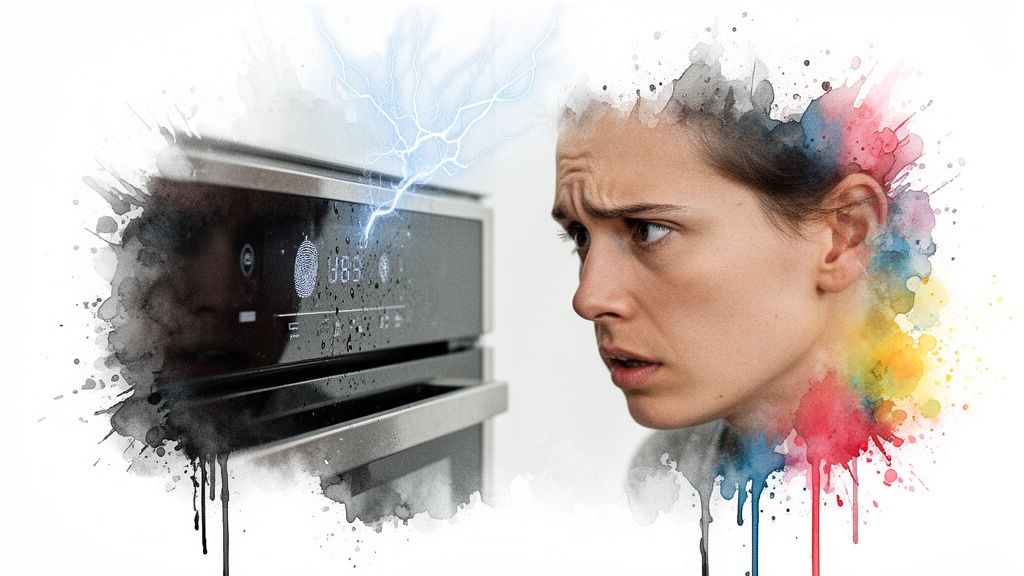
Think of your appliance's touchpad as its nerve centre. It’s a delicate combination of a user interface (the part you touch) and an electronic control board (the brains of the operation). When one part suffers, the entire system can go down.
The most frequent reasons for touchpad failure aren't dramatic breakdowns, but rather slow, cumulative damage. Here in Alberta's bustling cities like Edmonton and Calgary, we see a lot of touchpad issues. In fact, regional service data shows that roughly 28% of all oven and range repairs now stem directly from faulty touchpads—a noticeable jump from just a few years ago. Our climate can accelerate wear on the internal membrane switches, especially when they're exposed to condensation and spills.
Your touchpad is essentially a layered circuit. When you press a button, you complete a connection. Anything that gets in the way of that connection—from a single drop of water to a sudden power fluctuation—can render it useless.
To help you get a better handle on what might be going on, we've put together a quick summary of the usual suspects.
Common Causes Of Touchpad Failure At A Glance
Use this table to quickly identify the potential cause of your appliance's touchpad problem. We've summarized the issue, its common signs, and a quick prevention tip.
| Common Cause | What You Might See | Quick Prevention Tip |
|---|---|---|
| Moisture & Spills | Buttons stop working, erratic behaviour, display flickers. | Wipe up spills immediately and avoid steam directly on the panel. |
| Electrical Issues | Touchpad is completely dead, won't turn on after an outage. | Use a surge protector designed for major appliances. |
| Grease & Grime | Buttons feel sticky, delayed response, or don't work at all. | Clean the surface regularly with a soft, damp cloth. |
| Wear & Tear | The most-used buttons (like 'Start' or '30 Sec') fail first. | Press buttons gently instead of jabbing them. |
| User Habits | Cracks in the overlay, damage from harsh cleaners or sharp objects. | Clean with recommended products and use the pad of your finger. |
| Internal Faults | Multiple buttons fail at once, strange error codes appear. | This one's tough to prevent; it’s often a manufacturing issue. |
Now, let's dig a little deeper into what these problems actually look like and what's happening behind the scenes.
Breaking Down the Causes
Understanding what goes wrong is the first step toward preventing it from happening again. Most touchpad problems fall into a few key categories, each with its own tell-tale warning signs.
- Moisture and Contaminants: This is a big one. Steam from cooking, accidental spills, or even splattering grease can seep behind the touchpad's seal. Once inside, that moisture causes corrosion on the delicate electrical contacts, breaking the connection.
- Electrical Issues: Power surges, whether from a thunderstorm or just fluctuations on the grid, can fry the sensitive microchips on the main control board. Sometimes, a single jolt is all it takes to cause permanent damage. If you're curious about how your appliances are protected, you can learn more about how fuses protect your appliances in our detailed guide.
- Wear and Tear: At the end of the day, it's a mechanical part. The buttons you press most often—like the "Start" button on the microwave or "Bake" on the oven—can simply wear out over time. With each press, the internal connection points degrade just a little, until one day, they stop connecting altogether.
The Top 5 Things That Destroy Appliance Touchpads
When your appliance’s touchpad starts acting up—or dies completely—it can feel like a mystery. One day it’s fine, the next you’re staring at a blank screen. But it’s rarely random. Think of it like a detective story; the clues are usually right there, whether it’s a sticky button, a flickering light, or a panel that’s gone dark.
These problems almost always trace back to one of five common culprits that wreak havoc on the sensitive electronics hiding just behind the screen. Let's break down each of these “touchpad killers” so you know exactly what you’re up against.
1. Moisture and Liquid Damage
Hands down, moisture is the arch-nemesis of any electronic control panel. Just imagine spilling a glass of water on your laptop keyboard—it’s an instant recipe for a short circuit. The same exact thing can happen to your oven or microwave.
Most of the time, the damage is slow and sneaky. Steam from a boiling pot of spaghetti, wiping the panel with a soaking wet cloth, or a small spill can let tiny water droplets creep in behind the touchpad’s protective layer. Once that moisture gets inside, it starts corroding the delicate metallic circuits on the board, leading to dead buttons and all sorts of bizarre behaviour.
2. Grease and Grime Buildup
Your kitchen is a battlefield of airborne grease, food splatters, and cleaning sprays. Over time, all that gunk builds up on your touchpad and creates a sticky, stubborn film. This isn’t just ugly; it’s a direct threat to your appliance’s functionality.
Here’s how it causes trouble:
- Sticking Buttons: That grime can wedge itself into the tiny seams around buttons, making them hard to press or causing them to get stuck in the down position.
- Worn-Out Surfaces: When you have to scrub aggressively to get that baked-on grease off, you can actually wear down the touchpad’s protective top layer. This exposes the sensitive electronics underneath to even more damage.
- Unresponsive Screens: On newer glass touchpads, a thick layer of grease can interfere with the capacitive sensors that detect your touch, making the screen ignore your commands.
3. Electrical Surges and Power Faults
The control board behind your touchpad is a delicate piece of technology. It’s designed to run on a smooth, steady electrical current. But a sudden power surge—from a lightning storm, a neighbourhood power grid issue, or even a big appliance like an air conditioner kicking on—can send a massive jolt of electricity right through it.
It's like sending a tidal wave down a calm little creek. The tiny microchips and circuits on the board get fried in an instant, leaving the touchpad completely dead. It often won't show any signs of life at all.
A lot of people think power surges only happen during big storms. The reality is, small, everyday flickers in your home’s power can cause tiny bits of damage over months or years, slowly wearing down the electronic components until they finally give out.
4. Physical Damage and Everyday Wear
Appliance touchpads are built to be used every day, but they’re far from invincible. Hard knocks, pressing too hard, and cleaning with the wrong tools can cause real physical damage that leads straight to failure.
We see it all the time:
- Someone uses the tip of a knife or a long fingernail to press a button, accidentally puncturing the thin protective membrane.
- A heavy pot gets dropped against the control panel, cracking the glass or plastic overlay.
- Buttons are jabbed aggressively day after day, which speeds up the wear and tear on the internal contact points.
Even your most-used buttons, like “Start” on the oven or “+30 Seconds” on the microwave, are going to wear out faster. Every single press causes a microscopic bit of wear on the membrane switch inside until it can no longer make a clean electrical connection.
5. Internal Component Failure
Sometimes, the enemy is on the inside. The problem isn’t caused by spills or surges, but by a simple failure of an internal part. The control board is a complex maze of capacitors, resistors, and processors, and just like any other piece of electronics, these parts don’t last forever.
A bad solder joint from the factory might finally work its way loose after years of vibrations, or a capacitor might just fail from old age. When a single critical component on the board dies, it can cause anything from a specific error code to a completely unresponsive touchpad. These internal failures are often the trickiest to diagnose without professional equipment.
Safe DIY Diagnostics You Can Perform Now
Before you start worrying about a massive repair bill, let's walk through a few simple checks you can do right now. These steps don't require any fancy tools or technical know-how, but they can often solve the most common touchpad glitches and save you a headache. Remember, safety first—never try to open up your appliance or mess with the internal wiring.
The first, and often most effective, fix is the classic power cycle. Think of it as a hard reboot for your appliance's little computer brain. All you need to do is unplug it from the wall outlet or, if that’s not easy to reach, switch off the corresponding circuit breaker. Let it sit powerless for at least five to ten minutes. This gives the internal electronics enough time to fully discharge and clear out any temporary software bugs that might be causing the touchpad to act up.
Once the time is up, plug it back in or flip the breaker on. You’d be surprised how often this simple reset gets things back to normal.
Clean and Inspect the Surface
Sometimes the culprit isn't electrical at all. A sneaky buildup of grease, food splatters, or even cleaning spray residue can get in the way of the touchpad's sensors or make the buttons feel sticky and unresponsive. A good, careful cleaning can make all the difference.
- Use a Damp Microfibre Cloth: Lightly dampen a soft, clean microfibre cloth with just water. If you’re dealing with some stubborn grease, a single drop of mild dish soap in the water will do the trick.
- Wipe Gently: Carefully wipe down the entire touchpad. A big no-no is spraying cleaners directly onto the panel, as the liquid can easily seep inside and cause some serious damage.
- Dry Thoroughly: Grab a separate dry microfibre cloth and buff the surface until it's completely dry. You don't want any moisture left behind.
Safety Warning: Stay away from abrasive scrub pads, harsh chemical cleaners, ammonia, or bleach. These can permanently scratch or fog the protective overlay, ruining the sensitive electronics underneath.
If you've tried a power cycle and a thorough cleaning and the touchpad is still on the fritz, your next stop is the circuit breaker panel. It’s possible a minor power fluctuation tripped the breaker, cutting off power to the appliance entirely. Find the breaker for your kitchen or laundry room and check if it’s in the "off" or middle position. If it is, flip it firmly back to "on." If it trips again right away, that’s a clear sign of a deeper electrical problem that needs a professional’s touch.
This diagnostic flowchart can help you visualize the process, guiding you from the most common issues to the more complex causes.
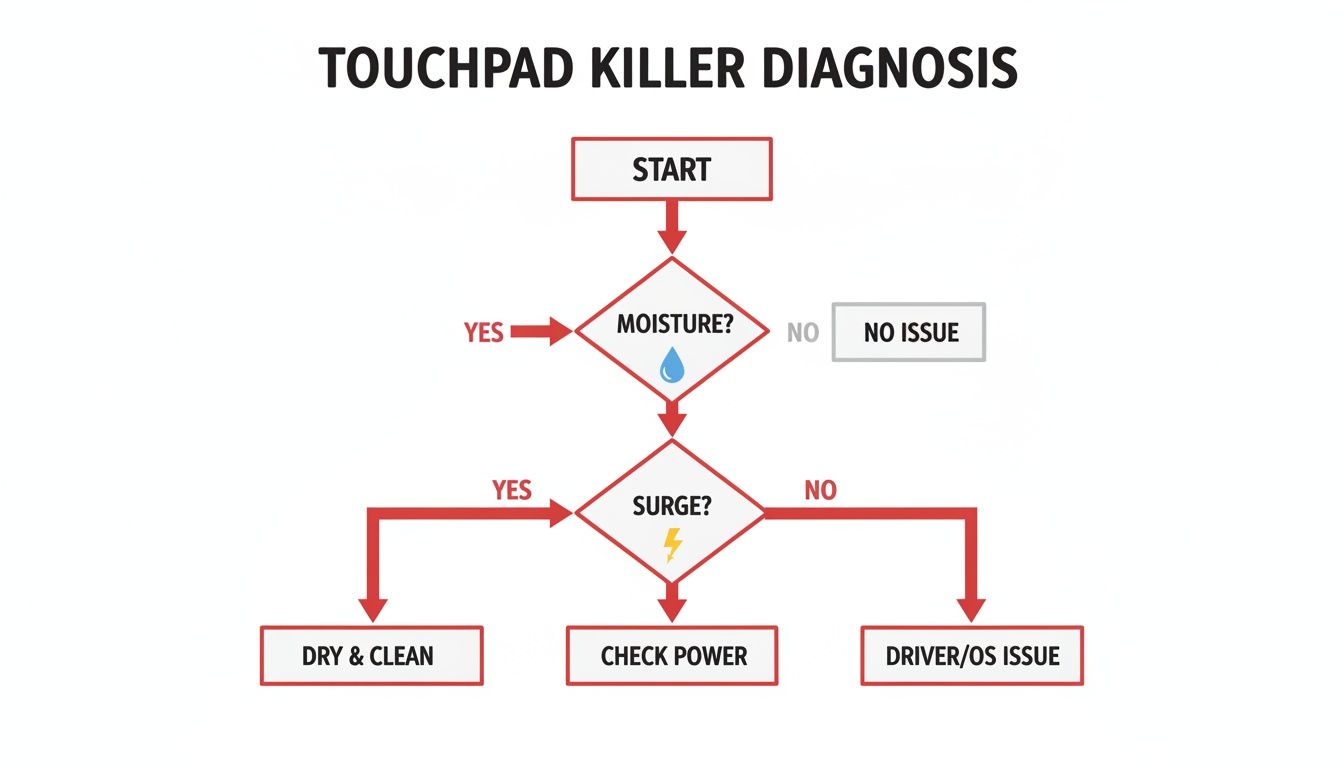
As you can see, things like moisture and power surges are often where the trouble starts. If these simple checks don’t fix the problem and you're still seeing error codes, it might be time to dig a little deeper. To understand what those specific messages mean, check out resources like our guide on Whirlpool washer error codes.
Your Guide To A Longer Touchpad Lifespan
When it comes to your appliance's most delicate interface, an ounce of prevention is truly worth a pound of repair. You don't need a complicated routine to protect your touchpad from the daily onslaught of moisture, grease, and electrical hiccups—just a few smart habits. Think of it as building a protective bubble around your control panel to keep it responsive for years to come.
These simple, proactive steps can be the difference between a long, reliable lifespan and a frustrating, premature failure. It all starts with how you clean and interact with your appliance every single day.
Adopt Smarter Cleaning Habits
The number one rule of touchpad care? Control the moisture. Never spray cleaning solutions directly onto the control panel. Instead, lightly dampen a soft, microfibre cloth and then gently wipe the surface.
For stubborn, greasy fingerprints, all you need is a simple solution of warm water with a single drop of mild dish soap. Harsh, abrasive cleaners or scrub pads are a big no-no; they can scratch the surface and wear down the protective overlay, making the panel more vulnerable to damage over time.
Expert Tip: After wiping the panel with a damp cloth, always follow up with a dry one. Getting rid of every last bit of moisture prevents droplets from seeping into the seams and causing internal corrosion.
Our service call data also reveals an interesting trend. Across Alberta, oven touchpad failures are a common issue for commercial-style appliances in high-use settings, accounting for 31% of breakdowns in places like busy cafes and shops in Edmonton and Calgary. These environments often involve constant heat cycles that can warp touch membranes and cause erratic responses, which really drives home the importance of proactive care.
Master Your Kitchen Environment
Your cooking habits play a surprisingly big part in the health of your appliance touchpad. Steam, heat, and grease are constant threats, but you can easily minimize their impact.
- Always Use Your Range Hood: Whenever you're boiling, frying, or simmering, flick on your exhaust fan. This simple action pulls steam and airborne grease particles up and away from your oven or microwave's control panel.
- Avoid Direct Heat: Try not to place hot pans or dishes directly in front of the touchpad. That intense, direct heat can damage the sensitive electronics hiding just beneath the surface.
- Wipe Up Spills Immediately: Don't let splatters and spills sit. A quick wipe-down prevents liquids from finding their way into the panel's vulnerable edges and causing trouble.
Making these small adjustments creates a much safer operating environment for your appliance's sensitive electronics. For more in-depth advice on keeping your appliances in top shape, check out our complete maintenance manual for prolonging the life of your LG appliances.
Protect Against Invisible Threats
Not all damage is visible. Electrical surges and physical accidents can cause instant failure, but thankfully, they are also preventable.
Investing in a heavy-duty surge protector specifically designed for major appliances is one of the smartest things you can do. These devices absorb unexpected voltage spikes from the power grid, shielding the delicate main control board from getting fried. It’s a small investment that offers powerful protection.
Finally, be mindful of physical impacts. Avoid leaning heavy objects against the control panel, and always press buttons with the pad of your finger—not a sharp nail or a utensil—to prevent puncturing the membrane.
A little bit of consistent care goes a long way. This simple checklist can help you build good habits and keep your touchpads working like new.
Your Weekly Touchpad Maintenance Checklist
| Maintenance Task | Frequency | Why It's Important |
|---|---|---|
| Gentle Wipe-Down | Weekly | Removes grease, dust, and food residue before it builds up. |
| Check for Moisture | After Each Use | Ensures no water droplets are left near seams, preventing internal damage. |
| Inspect for Scratches | Monthly | Helps catch minor surface damage early before it compromises the outer layer. |
| Verify Exhaust Fan | During Cooking | Confirms your range hood is effectively pulling steam away from the control panel. |
| Surge Protector Check | Twice a Year | Make sure the surge protector is plugged in and its indicator light is functional. |
By following this checklist, you're not just cleaning—you're actively extending the life of your appliance and preventing the headaches that come with a faulty touchpad.
When To Call A Professional Technician
Knowing when to put down the cleaning cloth and pick up the phone is the key to avoiding a much bigger, more expensive problem down the road. While a quick power cycle or a gentle wipe-down can sometimes fix minor glitches, some symptoms are your appliance's way of screaming for help from an expert. Trying to fix complex electronics without the right training isn't just risky for your appliance—it's risky for you, too.
If you’ve tried a full power cycle and the touchpad is still completely unresponsive, it likely points to something deeper than a simple software bug. Another major red flag is persistent, flashing error codes that refuse to clear. Think of these codes as a message from your appliance that a specific internal part has failed and needs a professional diagnosis.
Clear Signs You Need an Expert
Sometimes, the signs are impossible to miss. Physical damage is one of the most obvious indicators that a repair is well beyond a simple DIY fix. Keep an eye out for any of these warning signs:
- Cracks or Punctures: Any visible crack in the glass or plastic overlay is an open invitation for moisture and grime to get direct access to the sensitive electronics underneath. That’s a fast track to short circuits.
- Melting or Discolouration: Brown or black scorch marks around the panel are a serious sign of overheating. This is often caused by a failing control board or bad wiring and needs immediate attention.
- Persistent Unresponsiveness: If only a few buttons work, or if the whole panel is dead even though the appliance has power, the internal membrane switch or the main control board is the likely culprit.
Calling a technician isn't giving up; it's the smartest and safest decision for a reliable, long-term repair. These symptoms often point to issues that require specialized tools, diagnostic equipment, and knowledge of high-voltage components.
Why Professional Repair Is The Safest Choice
A professional technician can accurately figure out the root cause, whether it's the touchpad itself or the main electronic control board sending it scrambled signals. This distinction is critical—replacing the wrong part is just a waste of time and money. When a repair is beyond your skillset, reliable professional service is essential. The pros often rely on advanced systems to stay efficient, like those used for Field Service Management Software.
More importantly, a certified technician ensures the job is done safely, preventing any risk of electrical shock or further damage to your appliance. If you're not sure what to do next, learning how to choose the right technician for appliance repair can give you the confidence that you're making the right call for your home.
Got Questions About Appliance Touchpads? We Have Answers
When your appliance’s touchpad starts acting up, you’re bound to have questions. Here are a few of the most common ones we hear from homeowners, with straightforward answers to help you figure out your next steps.
Is It Worth Repairing An Appliance Touchpad?
Absolutely. In the vast majority of cases, repairing a touchpad is much smarter and more affordable than buying a whole new appliance. Think about it—the repair focuses on the one faulty part, costing just a fraction of what a brand-new machine would.
If your appliance is still running great otherwise, a professional repair can easily give it several more years of life. It's a choice that saves you money, cuts down on waste, and gets your daily routine back on track without the hassle of a total replacement.
How Much Does Touchpad Repair Cost In Alberta?
The final cost really depends on a few things: the appliance brand, the specific model, and just how bad the damage is. For example, replacing a simple, worn-out button overlay is a much quicker and cheaper job than swapping out the entire electronic control board.
At Repair My Appliance, we believe in being upfront. We’ll diagnose the problem first and give you a clear, honest quote. And if you go ahead with the repair, we waive the service call fee. You’ll know the full cost before we even touch a tool, so there are no surprises for our customers in Edmonton, Calgary, or Red Deer.
Key Takeaway: A repair is almost always the more economical choice for an otherwise functional appliance. It extends the unit's life and saves you hundreds of dollars compared to a full replacement.
Can I Use Any Household Cleaner On My Touch Screen?
Please don’t! Using harsh chemical cleaners with ammonia, bleach, or gritty abrasives is one of the fastest ways to destroy a touchpad. These chemicals can strip away the protective coating, causing permanent damage and corrosion—a very common reason we see touchpads fail.
The best way to clean it is with a soft, damp microfibre cloth. If you’re dealing with greasy fingerprints, a little bit of mild dish soap mixed with water will do the trick. Just remember to spray the solution onto the cloth, never directly onto the panel itself.
Why Are Some Buttons Working While Others Are Not?
This is a classic symptom of a localized problem. Often, it means the membrane switch right under the non-responsive button has simply worn out from repeated use. We see this all the time with high-traffic buttons like "Start" or "+30 Seconds" on a microwave.
Another possibility is that a tiny bit of moisture has managed to sneak in and corrode the specific electrical contacts for that one area. A technician can quickly figure out if it’s just the membrane that needs replacing or if the entire control board is the culprit.
Need appliance repair? Visit RepairMyAppliance.ca or call 587-416-5888 for fast, professional service.